nepalbynumbers
Nepal By Numbers
Overview
Nepal By Numbers is a cutting-edge map visualization tool designed to provide comprehensive and insightful data visualizations for Nepal. This powerful application focuses on various statistical factors, offering users an intuitive and interactive way to explore key data points such as GDP, HDI, and other crucial statistics through dynamic map visualizations.
Table of Contents
- Features
- Preview
- Installation
- Usage Guide
- Data Integration
- Customization Options
- Export and Sharing
- Technical Architecture
- Contributing
- Troubleshooting
- License
- Contact and Support
Features
1. Comprehensive Map Visualizations
- Multi-level Geographical Boundaries: Visualize data across various administrative levels including provinces, districts, and municipalities.
- Interactive Elements: Hover and click functionality for detailed information display.
- Dynamic Legend: Auto-adjusting legend based on data ranges and classification methods.
2. Data Integration
- Excel Integration: Seamlessly import data from Excel files with a single click.
- CSV Support: Flexible data import using CSV format for wider compatibility.
- Real-time Updates: Visualizations update instantly as new data is imported or modified.
3. Visualization Techniques
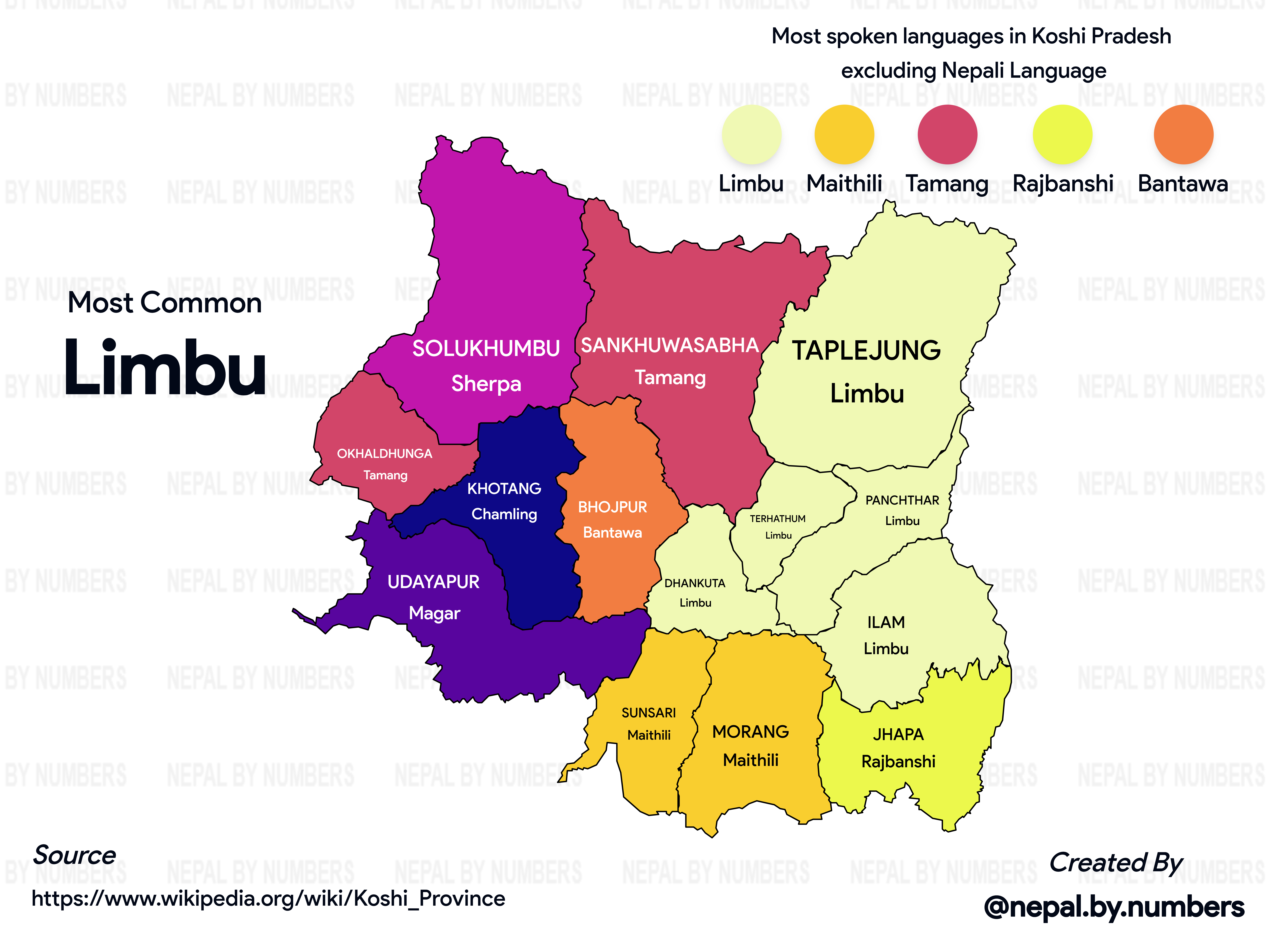
- Classification Maps: Categorize data into distinct groups for easy comparison.
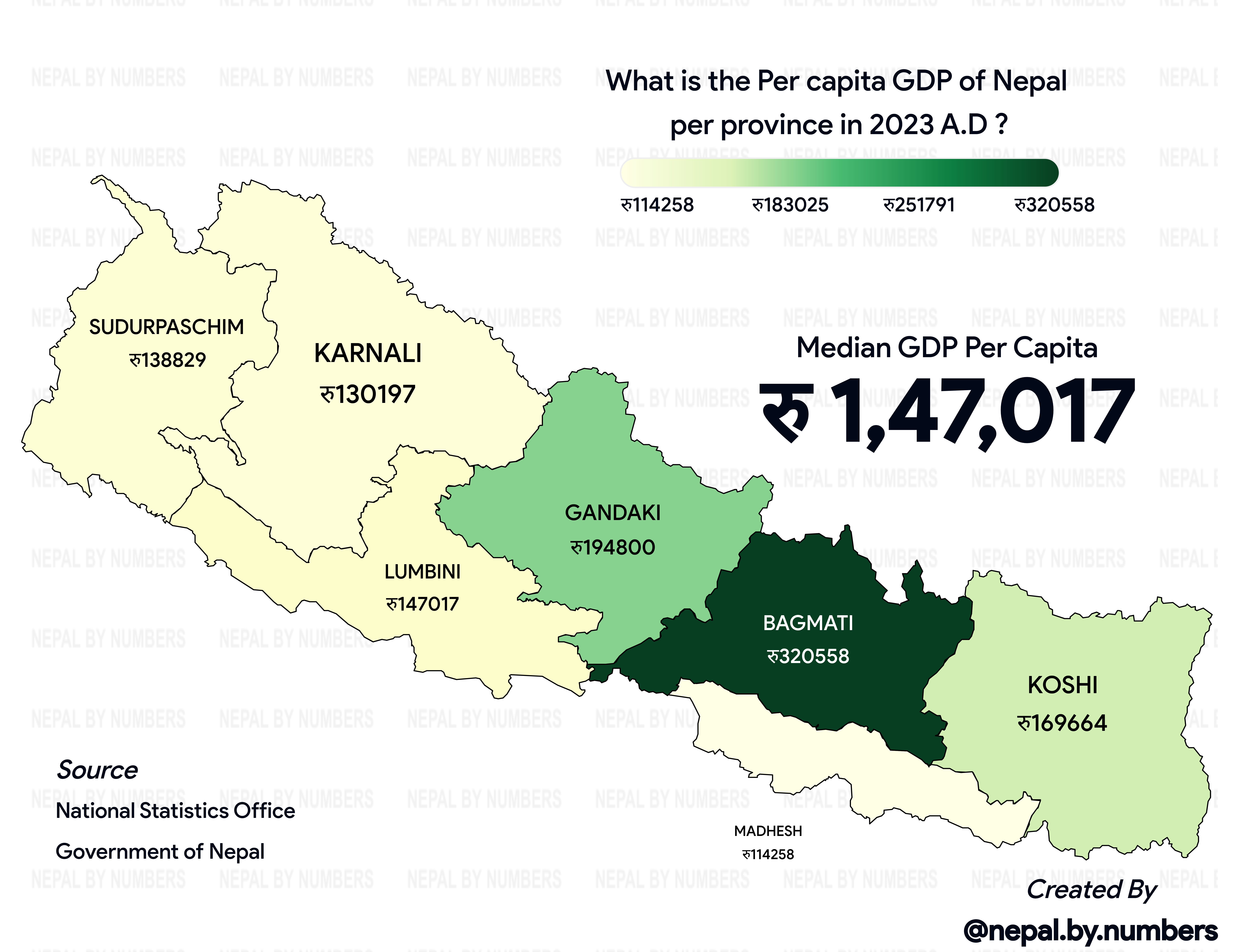
- Regression Maps: Display continuous data with smooth color gradients.
- Customizable Color Schemes: Choose from a variety of color palettes or create your own.
4. Customization and Theming
- Multiple Pre-designed Themes: Select from a range of professional themes to match your presentation style.
- Custom Styling Options: Adjust colors and layout elements to create unique visualizations.
5. Export and Sharing
- High-Resolution Export: Generate publication-quality maps and infographics.
- PNG Format Support: Export as PNG various use cases.
6. Project Management
- Save and Load Projects: Preserve your work and settings for future sessions.
Preview
Regression Style Map
Classification Style Map
Installation
To set up Nepal By Numbers locally, follow these steps:
-
Clone the Repository
git clone git@github.com:iaavas/nepalbynumbers.git -
Navigate to Project Directory
cd nepalbynumbers -
Install Dependencies
npm install -
Set Up Environment Variables
- Copy
.env.exampleto.env - Update the variables in
.envwith your specific configuration
- Copy
-
Run the Development Server
npm run dev -
Access the Application Open your browser and visit
http://localhost:3000
Usage Guide
-
Data Import
- Select your Excel or CSV file containing Nepal-specific data
- Map the columns to corresponding geographical entities
-
Choosing Visualization Type
- Based on your data webapp automatically assign it as “Regression” or “Classification”
-
Customizing the Map
- Use the “Themes” dropdown to select a pre-designed look
- Fine-tune colors, labels, and other visual elements in the “Customization” panel
-
Interacting with the Map
- Hover over regions to see quick stats
- Click on a region for detailed information and additional charts
-
Exporting Your Work
- Click “Export” in the top menu
- Choose your desired format and resolution
- Save the file to your local machine
Data Integration
Supported Formats
- Excel (.xlsx, .xls)
- CSV (.csv)
Data Structure Requirements
- First column: Unique identifier for each geographical entity (e.g., district name)
- Subsequent columns: Statistical data (e.g., population, GDP, literacy rate)
Customization Options
Theme Customization
- Color Palettes: Choose from 7+ pre-defined palettes or create custom ones
- Layout: Adjust map positioning, legend placement, and information panel design
Export and Sharing
Export Formats
- PNG: For web and general-purpose use
Technical Architecture
Nepal By Numbers is built on a modern, scalable architecture:
- Frontend: React.js with Next.js for server-side rendering
- Map Rendering: D3.js for SVG manipulation, Leaflet for base maps
- Backend: Node.js with Express, handling data processing and API requests
- Database: Firebase for storing user projects and cached data
Contributing
We welcome contributions from the community! Here’s how you can help:
- Fork the Repository
- Create a Feature Branch
git checkout -b feature/AmazingFeature - Commit Your Changes
git commit -m 'Add some AmazingFeature' - Push to the Branch
git push origin feature/AmazingFeature - Open a Pull Request
Troubleshooting
Common Issues and Solutions
-
Map Not Rendering
- Clear your browser cache and reload the page
- Check console for any JavaScript errors
-
Data Import Failures
- Verify your Excel/CSV file structure matches our template
- Ensure all geographical identifiers are correct and recognized
License
This project is licensed under the MIT License. See the LICENSE file for details.
Contact and Support
- Documentation: Full Documentation
- Issue Tracker: GitHub Issues
- Email Support: baralaavas@gmail.com
By providing this comprehensive documentation, we aim to empower users and contributors with all the necessary information to effectively use and enhance Nepal By Numbers. We’re committed to maintaining this documentation and welcome feedback for continuous improvement.